Last verified against the FBR website on 29 September 2026. FBR’s site structure can change, so confirm the navigation before relying on any step.
Tax information now travels through WhatsApp forwards, social media posts, emails, blogs and YouTube videos. Some of it is accurate, some is a summary of something older, and some has no traceable source. Before you act on a rate, deadline or procedure, you should know whether the document is an official FBR notification and whether it is still current.
This guide shows how to check an FBR notification online in Pakistan using the Federal Board of Revenue’s own website. It covers searching by notification number, date and title, opening the original PDF, and checking whether a later document has changed the position. The Federal Board of Revenue (FBR) is the Revenue Division body of the Government of Pakistan that collects taxes and duties and administers the related legislation. If you have received a notice addressed to you personally, rather than a general notification, start with TaxBeat’s guide on what to do after receiving an FBR tax notice, because that is a different kind of document.
What Is an FBR Notification?
An FBR notification is a formal written instrument issued in the name of the Federal Board of Revenue, usually citing the legal power under which it is issued. It may announce, amend, withdraw or give effect to a provision under a tax law. Its legal significance depends on its type, its contents and the law it relies on.
FBR’s own SRO page groups these documents under Income Tax, Sales Tax, Federal Excise and Customs. The official S.R.O. 1634(I)/2026 PDF is a useful real example. It is headed “Notification”, names the Revenue Division and the Federal Board of Revenue, and states the place and date of issue, which is Islamabad, 21 September 2026. It also cites the section of the Sales Tax Act, 1990 under which FBR acts, carries a file reference number and ends with an officer’s signature block.
A notification may therefore contain:
- A notification or SRO number
- An issue date
- A subject or title
- The relevant tax wing or law (Income Tax, Sales Tax, Federal Excise or Customs)
- The legal power relied upon
- A signing officer or authority
- An attached PDF or annexure
If a document you are checking relates to Sales Tax, TaxBeat’s guide to sales tax registration, monthly filing and refunds explains the filing side of that tax.
Where Can You Check an FBR Notification Online?
The primary source is the official FBR website: fbr.gov.pk. For any FBR official notification, this is where to begin. Its homepage links to sections for SROs/Notifications, Orders/Circulars, Press Releases, Admin Notifications and the Acts, Ordinance and Rules pages. Notifications are not held in one single database, so the right section depends on the document type.
| FBR Section | What You May Find |
|---|---|
| SROs/Notifications | Statutory Regulatory Orders for Income Tax, Sales Tax, Federal Excise, Customs and UNSC Resolution |
| Orders/Circulars | Circulars, general orders and jurisdiction orders for Income Tax, Sales Tax, Federal Excise and Customs |
| Admin Notifications | Administrative notifications, linked from the FBR homepage to a separate FBR portal |
| Updates and Press Releases | Announcements, public updates and press releases |
| Acts, Ordinance and Rules | The underlying tax legislation and rules |
Press releases and homepage updates give useful context for a tax update, but they are announcements and not a substitute for the notification itself. For Customs and Sales Tax, FBR also lists active, archived and grouped SROs, which help when checking amendments. For Income Tax basics such as filer status, see TaxBeat’s guide on how to become a tax filer in Pakistan.
How to Check an FBR Notification Online
To check an FBR notification online, open fbr.gov.pk, go to the relevant section, search using the document’s number, title and date, and open the original PDF from the FBR listing. The steps below explain each stage.
Step 1: Start With the Official FBR Website
Type fbr.gov.pk into your browser yourself. Do not start from a screenshot, a forwarded link or a third-party article, because those show what someone else says the document is. FBR’s own advisory on fraudulent emails tells taxpayers not to click links in suspicious messages and to type the site address manually.
Step 2: Identify the Notification Number
Look at the top of the document for a notification, SRO or reference number. SROs carry a number in the form seen on FBR’s own listings, such as S.R.O. 1634(I)/2026. Copy the number exactly as printed. Do not guess or reconstruct a number from memory.
Step 3: Search the FBR Website
On FBR’s SRO search page, the fields are Department (Customs, Sales Tax, Income Tax, Federal Excise or UNSC Resolution), Date from, Date to and Search Text. Results appear in a table with SRO Number, Title, Issue Date, Related To and Downloads. Circular and order pages are organised by category, and their search options may differ, so check each page.
Step 4: Check the Issue Date
Compare the date on the document with the Issue Date in FBR’s listing. A document dated years ago may have been changed since, and a mismatched date is a reason to look more closely. Rates and provisions can also change with each Finance Act, as TaxBeat’s property tax guide for 2026-27 shows, so an older source may no longer be correct.
Step 5: Compare the Notification Title and Subject
Check that the title and subject match the FBR listing.
Step 6: Open the Official Document or PDF
Open the PDF from the FBR listing rather than relying on a copy someone sent you. FBR files may open from a subdomain such as download1.fbr.gov.pk. Check that the address ends exactly in .fbr.gov.pk, since lookalike domains exist.
Step 7: Check Whether It Has Been Amended, Replaced or Rescinded
A genuine notification may no longer represent the current position. FBR’s homepage lists S.R.O. 1634(I)/2026, which rescinds an earlier SRO, so withdrawal does happen. Check for:
- Amending, superseding or rescinding notifications on the same subject
- Related SROs, updated circulars and later clarifications, and changes to the underlying Act or Rules
Amendment paths differ, so treat each case on its own facts.
How to Verify an FBR Notification Is Genuine
A notification is best verified by finding a matching record on the official FBR website, not by how the document looks. An FBR logo or letterhead can be copied, so the source and the matching record are the stronger signals.
- The document is available on fbr.gov.pk or an official FBR file domain.
- The notification or reference number matches the FBR listing.
- The issue date matches.
- The title and subject match.
- The PDF opens from the official FBR record.
- The tax area (Income Tax, Sales Tax, Federal Excise or Customs) fits the content.
- The numbering, dates and legal references are consistent.
- Any related SRO it refers to can also be found officially.
- There is no later amendment, rescission or replacement.
- The underlying law (for example the Income Tax Ordinance, 2001) has been cross-checked where it matters.
If checking the underlying law is beyond you, tax compliance services from a professional firm can help you confirm the position.
How to Check an FBR Notification Number
A notification number is the reference printed on the document that identifies it in FBR’s records. Enter it in the Search Text field on the relevant FBR page, select the correct department, and compare the title, date and PDF with your copy.
If no result appears, do not conclude straight away that the document is not genuine. The number may be typed differently, the document may sit in another category, or it may be published through a different FBR section, such as circulars or orders rather than SROs. Try the other departments, use a date range, and search by title wording.
How to Verify an FBR Notification From a WhatsApp Message or Social Media Post
Do not rely on the message itself. Take the number, date and title from it and check them on the official FBR website.
- Do not rely on the screenshot alone.
- Note the notification number.
- Note the date.
- Note the title or subject.
- Search the official FBR website.
- Open the original document.
- Compare the wording and document details.
- Check for later amendments or clarifications.
- If still unsure, contact an appropriate FBR channel.
Do not rely only on:
- WhatsApp forwards
- Facebook posts
- Screenshots
- Random blogs
- YouTube videos
- Unattributed PDFs
- Messages saying “FBR has announced…” with no official reference
FBR Notification vs SRO vs Circular vs Order vs Press Release
These are different kinds of documents, and FBR lists them in different sections. Legal status and effect depend on the specific document and the applicable law. For a decision that turns on the exact legal position, consider legal advisory rather than relying on a summary.
| Document Type | General Purpose | Where to Verify |
|---|---|---|
| Notification | A formal instrument issued in FBR’s name, usually citing a legal power. Effect depends on its terms and the law it relies on. | Official FBR SROs/Notifications section |
| SRO | Statutory Regulatory Order, published under Income Tax, Sales Tax, Federal Excise, Customs or UNSC Resolution. | FBR SROs/Notifications |
| Circular | Listed by FBR for Income Tax, Sales Tax, Federal Excise and Customs. Generally issued to explain or clarify. Read the document itself for its purpose. | FBR Orders/Circulars |
| Order | FBR lists general orders and jurisdiction orders. Purpose depends on the order. | FBR Orders/Circulars |
| Press Release | A public communication or announcement. Not, in itself, a substitute for the legal document it may describe. | FBR Newsroom, Press Releases |
How to Check if an FBR Notification Is Still Valid
To check whether a notification is still valid, start with its date, then look for later amendments, rescissions, replacements, related circulars and changes in the underlying law. The original publication date alone is not enough.
Work through these points:
- Date: note when it was issued and whether the subject is time-sensitive.
- Amendments: search for later notifications on the same subject.
- Replacement or rescission: look for documents that withdraw it.
- Subsequent SROs: check the same department for newer entries.
- Circulars and clarifications: see whether FBR explained or limited it later.
- Underlying law: check whether the Act, Ordinance or Rules have changed. FBR’s homepage currently links the Finance Act 2026 PDF.
- Current updates: review FBR’s latest updates on the homepage.
For Sales Tax and Customs, FBR’s grouped and Active/Archived SRO pages can help. Explainers such as those on TaxBeat’s blog can help you understand a document once you have found it, but they do not replace the FBR original.
What If You Cannot Find an FBR Notification Online?
If you cannot find it, search again with variations before drawing any conclusion.
- Re-enter the notification or reference number in a different format.
- Try other departments on the SRO page.
- Search by title, then by distinctive wording from the document.
- Check both SROs/Notifications and Orders/Circulars.
- Contact FBR if needed. The FBR homepage listed the national helpline as 051 111 772 772 and the email helpline@fbr.gov.pk on 29 September 2026. Confirm details on the site first.
To report a website or email pretending to be FBR, see FBR’s fraudulent emails page.
Common Mistakes When Checking FBR Notifications
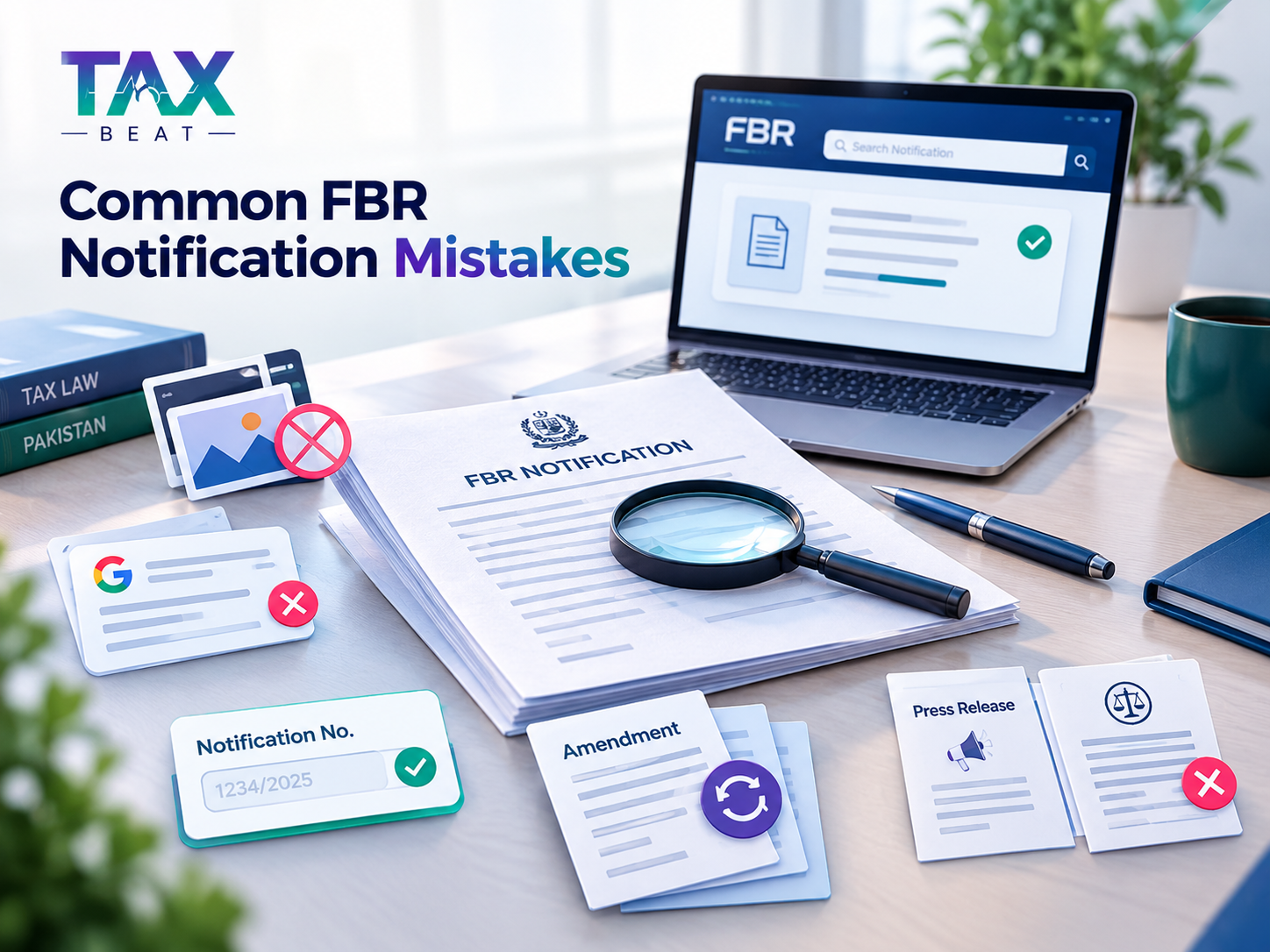
- Trusting a screenshot as the record
- Checking only Google results
- Ignoring the notification number
- Assuming every FBR document is an SRO
- Not checking for later amendments
- Treating a press release as a legal instrument
- Treating an unofficial summary as the original document
Why Official FBR Sources Matter for Taxpayers
Tax rates, procedures and deadlines are set in specific legal documents, and a summary can leave out a condition, an effective date or a later change.
When to Seek Professional or Official Clarification
Consider professional or official clarification when a notification affects a large payment, a business decision, a legal position or a deadline, or when the amendment history is unclear. FBR’s helpline handles official queries. This article is general information and not personal tax or legal advice.
TaxBeat’s Role in Explaining FBR Updates
About TaxBeat: TaxBeat is a Karachi-based tax consultancy and legal advisory firm. According to its website, it works with individuals, startups, SMEs and larger organisations on taxation, compliance, corporate, legal and advisory matters. Its blog publishes Pakistan-focused explainers, and its site includes tax calculators. TaxBeat is an independent firm and is not FBR or an official FBR source. Always confirm a notification on fbr.gov.pk.
Frequently Asked Questions
1. How can I check an FBR notification online?
Go to fbr.gov.pk, open SROs/Notifications or Orders/Circulars depending on the document, and search using the number, title and date. Open the PDF from the FBR listing and compare it with the copy you have. Then check for later amendments or withdrawals.
2. Where can I verify an FBR notification in Pakistan?
The official FBR website is the primary place. SROs are under SROs/Notifications, and circulars and orders are under Orders/Circulars. Press releases are in the Newsroom. Where relevant, also check the underlying legislation under Acts, Ordinance and Rules.
3. How do I check an FBR notification number?
Copy the number exactly as printed, select the correct department on FBR’s SRO search page and enter it in Search Text. Compare the title, issue date and PDF with your copy. If nothing appears, try other departments, date ranges and title wording before concluding anything.
4. How can I tell if an FBR notification is genuine?
Look for a matching record on the official FBR website: the same number, date, title and PDF. A logo alone proves little. Also check that the wing and legal references are consistent, and that no later document has amended or withdrawn it.
5. Can I verify an FBR notification from WhatsApp?
Yes, but not from the message alone. Take the number, date and title from it, search fbr.gov.pk, open the original document and compare the details. Then check for later amendments. If you are still unsure, contact an appropriate FBR channel.
6. Where does FBR publish official notifications?
FBR publishes SROs and notifications under SROs/Notifications, covering Income Tax, Sales Tax, Federal Excise, Customs and UNSC Resolution. Circulars and orders are under Orders/Circulars. Announcements appear in Updates and Press Releases. Not every type of document is in one place.
7. What is the difference between an FBR notification and an SRO?
On FBR’s website, SROs are published in the SROs/Notifications section, and SRO documents are issued as notifications, as the official S.R.O. 1634(I)/2026 PDF shows. Circulars, orders and press releases are different document types listed elsewhere. Legal effect depends on the specific document and the applicable law.
8. How can I check whether an old FBR notification is still valid?
Check its date, then look for later amendments, rescissions, replacements, related SROs, circulars and clarifications. Also check whether the underlying Act, Ordinance or Rules have changed. The original date alone does not tell you the current position. For important decisions, get professional advice.
9. What should I do if I cannot find an FBR notification on the FBR website?
Search again using different number formats, other departments, a wider date range and distinctive wording from the title. Check both SROs/Notifications and Orders/Circulars. Not appearing in one search does not prove a document is not genuine. If needed, contact FBR through its official channels.
10. Should I rely on a screenshot of an FBR notification?
No. A screenshot can be incomplete, edited or outdated. Use it only to get the number, date and title, then find the original on fbr.gov.pk, open the official PDF and check for later changes before relying on the content.